
Sign In
Electronic Train List
BNSF now manages and shares on-board train consist and shipping paper information electronically, instead of relying on paper documents traditionally carried by train crews. This method allows electronic consist to continuously be updated and transmitted to BNSF’s operating system. This approach keeps information more accurate, easier to update, and accessible in the event of an incident.
Why Transition to Electronic Trainlist
BNSF adopted electronic train list to improve:
- Accuracy: Electronic train list can be easily updated when train makeup changes.
- Information Sharing: Electronic train list can be transmitted instantly to emergency responders, emergency planning partners and 911/PSAP’s.
- Reliability: Electronic records reduce the risk of lost, damaged, or outdated paper documents.
- Safety: Faster access to hazardous materials data, support safer incident management.
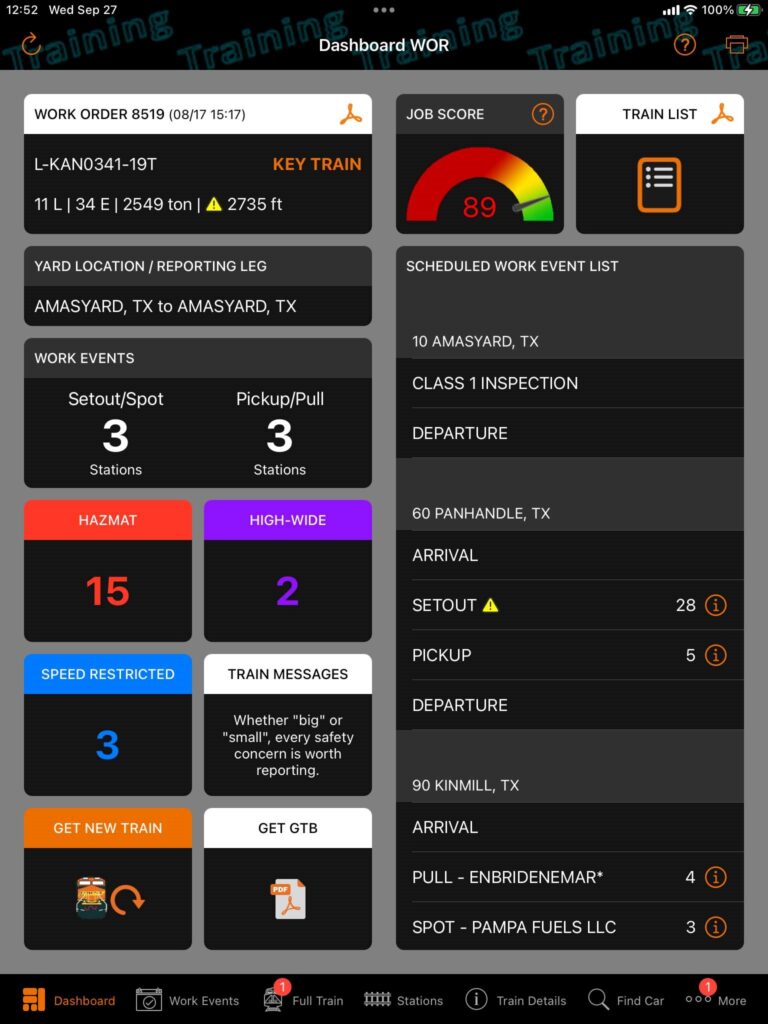
Sharing Electronic Trainlist
First responders can obtain an electronic train list anytime by calling our Emergency Contact Number 1-800-832-5452.
This number is posted at every BNSF Railroad Crossing.
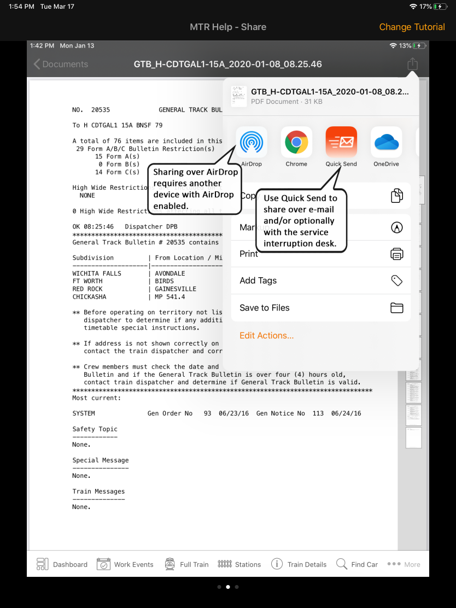
Sharing Electronic Trainlist with First Responders
BNSF train crews are trained to provide their train list documents to first responders in the event of an incident. With electronic train lists the document can be provided to first responders through the following methods:
- Emailing the information directly to a responder. Responders can then access information via their mobile device and share with other responders.
- Air Dropping, via Bluetooth, the electronic train list directly to a responder’s mobile device when no cell service is available in the area
- Sharing the train crews iPad directly with the responders.
Additionally, when BNSF’s Resource Operation Communication Center (ROCC) provides initial notification to local agencies (911 centers), the ROCC will request a fax number or email address to transmit the train list document. Agencies may also obtain a copy by calling our emergency contact number, 1‑800‑832‑5452, which is posted at every BNSF rail crossing.
Electronic Train List Example
Scan the QR code to visualize an electronic train list right from your mobile device. Simply point your device camera at the code and open a sample train list.